Saturday, 2 January 2016

Canary Smart Home Security camera review


The Canary Smart Home Security camera is the latest security gadget for keeping tabs on your home when you're out and about, but is it good enough to be worth buying? We added one to our home and put it through its paces to find out.
The good
First off, considering it's just a security camera, the Canary Smart Home Security camera looks fantastic. It's a seriously nice bit of kit, with an inconspicuous design that blends into the background.
You can't pan or zoom, so you'll have to be mindful of where you place the Canary, but its 147-degree field of view is more than capable of capturing plenty of action.
It also offers up a decent quality camera, so if you need to track down people who break into your house in future, at least you'll know that the Canary can provide images and video that could make all the difference.
The Canary app is handy, elegant and works well, and it can send you alerts if activity is detected. It can keep track of multiple users at home, and use your phones to recognise and deactivate either recording or your alarm, and it also packs in multiple sensor and alarm features.
The integrated alarm is a definite boom, and if you think your mobile activity alert is genuine, you'll be able to sound the ear-splitting 90dB alarm or call the cops to take a look.
If the camera does start recording, it'll automatically upload videos straight to the cloud, keeping clips safe even if a thief steals the camera. It'll only save content to a 12-hour timeline though, and if you want to keep videos for longer you'll need a subscription - for a timeline that lasts for a couple of days and unlimited video downloads, it's $4.99 (£3) a month, with a seven day timeline available for $9.99 (£7) a month. 30 days are available for $29.99 (£20).
The bad
Our biggest gripe with the Canary is that it can be deactivated simply by cutting off the power - and you don't receive a notification when that does happen. Which means thieves can easily deactivate the camera if they do spot it.
We also found setting up the Canary to be frustrating at times- it only connects to 2.4GHz spectrums, and won't work with 5GHz bands, and quite frankly you're better off using the Ethernet port. It also won't play with the likes of Nest or IFTTT, limiting its appeal slightly. Using the app is rather simple to get set up with though, taking you through the steps easily, and instructing you when to pop in a 3.5mm cable from your phone to the Canary to make a secure connection.
The camera is pretty sensitive, and easily set off by false movements, meaning you could end up with your phone buzzing non-stop - and whether that will prove annoying or not depends on how much importance you place on piece of mind.
The bottom line
Solid, beautiful hardware, combined with an elegant app make for a compelling argument to pop the Canary Smart Home Security camera in your home for security, but annoying notifications, a somewhat frustrating set-up process and no easy way to mount it elsewhere do drag it down a bit. For peace of mind when you’re not at home, though, it’s well worth a look.

Guitar Hero Live review


The millions of plastic musical instruments produced to support the original Guitar Hero series may be sitting forgotten at the back of cupboards all over the world, but that hasn't stopped Activision from resurrecting the franchise in emphatic fashion on all major consoles. Guitar Hero Live is so much more than a quick and easy sequel intent on taking advantage of rose-tinted nostalgia; it offers more complexity, an all-new live concert atmosphere and a constantly rolling TV streaming mode which gives you hundreds of real music tracks - along with videos - to play through each day.
While much has changed, a lot has stayed the same. You're still strumming a plastic guitar in time with on-screen icons, but there's an additional layer of realism thanks to the fact that the wireless instrument now has six buttons - a top row and a bottom row - which allows the game to better replicate the feel of "real" playing. Novice players will be pleased to know that the game eases you in gradually, keeping you to a single row of buttons before ramping things up and introducing finger changes and barre chords, which require you to press two buttons simultaneously.
Instead of the cartoon-style 3D characters seen in previous outings, Guitar Hero Live's career mode uses live-action concert footage filmed especially for the game. This footage reacts to how well you're playing - do well and the fans go wild as you pace around the stage, but produce too bum notes and you'll notice them becoming increasingly annoyed with your lack of talent. It's easy to spot where two pieces of footage are spliced together, but the effect is still impressive and certainly a lot more immersive that what has gone before.
However, the career mode serves as little more than an introduction to the real game, which is found in Guitar Hero TV. Billed as an interactive network of music, you can log on and play a wide range of different songs - picked from categories at random - and face off against other players. There's a constant challenge here; you're ranked alongside 10 other players (when there's no one else playing you'll compete against "ghost" data) and given a score at the end.
Earning points in this mode gives you currency which can be spent on credits that can be used to "buy" a song choice, as well as other items. It's possible to unlock access to the entire roster of songs with a daily pass that costs real money and there's the niggling feeling that you're being exploited a little by the fact that a paywall exists between you and the music you want to play, but it's perfectly possible to enjoy this mode without spending a single penny. The very fact that the song selection is out of your control encourages you to play songs you might not usually, and this means there's always a new surprise around the corner.
What Guitar Hero Live really nails is making it feel like you're playing a proper guitar more than ever. While it doesn't quite go as far as its rival Rock Band or Rocksmith (the latter being a truly hardcore guitar simulation), for casual music fans it hits the right balance between accessibility and challenge. The guitar controller is decent, too - it's a little on the small size (as were the originals) and is naturally made from plastic, but everything works and that's all that genuinely matters in this situation.
Guitar Hero Live is a great way to revive the series and is the perfect social video game, as onlookers can watch the music videos and enjoy the soundtrack while those taking part will relish the opportunity to show off their burgeoning axe skills. It does feel like Activision is holding some things back for the inevitable DLC packs, but we don't mind that too much - there's many months of entertainment to be had here.

Samsung UE48JU7500 4K TV review


The Samsung UE48JU7500 is the latest 4K TV from the South Korean company, and with a curved display, high quality and a bucket load of features, it could be one of its best teles yet. Read on as we put one through its paces.
The good
Samsung has continued its curved crusade against flat screen TVs with the UE48JU7500, a slick looking piece of kit that sports barely any bezels, and there's a rather simple silver display stand to keep it upright. It looks minimal, with all focus on the 48-inch display - which is where it should be.
That 48-inch panel is an absolute cracker as well, offering up simply fantastic flagship 4K visuals, and the curved screen looks gorgeous. There are deep blacks and punchy colours, making the most out of any film or programme you can think of.
The UE48JU7500 impresses when it comes to its smart skills, too, and the integrated Tizen operating system is sharp and fast, powering the large choice of apps with ease. There's a quad-core processing engine to drive the TV's picture processing and UI, and it's also capable of upscaling HD and standard definition content to 4K, further boosting image quality.
There are two remotes included in the box, one adding motion controls, and both work well. There's also a breakout box for all your wires, keeping things tidy and meaning you won't have to stick your head around the back of the tele each time you want to hook up another gadget.
Other features include 3D capabilities, although with most companies stepping back from 3D tech Samsung hasn't bothered to include a pair of glasses - we can't say we missed them.
The bad
That £1649.99 RRP is simply eye watering, but if you shop around a bit you will be able to get the Samsung UE48JU7500 for a more reasonable £900-£1200. It's well worth it.
On the downside, we're not entirely convinced that 48 inches is large enough to truly benefit from 4K content, and the screen can also prove reflective in direct sunlight.
The speakers are a bit tinny, and we'd add a sound bar if possible, and it can also be laggy when you're not using the TV in game mode. That's really nitpicking though, and the Samsung UE48JU7500 truly is a 5-star product.
The bottom line
If you’re looking for a 4K TV and money’s not much of a problem, Samsung’s 7 Series televisions are well worth looking at. While we’re more than pleased with the 48-inch model’s performance, we wish it’d had been a bit bigger to really make the most of 4K (it's just better on bigger TVs!), which is where Samsung’s 65-inch and higher models come in - with an even bigger price tag to boot though.
- See more at: http://gadgetshow.channel5.com/review/samsung-ue48ju7500-4k-tv-review#sthash.9ftWJ7l6.dpuf

Microsoft Lumia 950 review


The Microsoft Lumia 950 is the first Windows 10 Mobile phone to attempt to crack the high-end smartphone market, but can it really go head-to-head with the likes of the Samsung Galaxy S6 and Apple iPhone 6s? We've been living with one to find out.
The good
The Lumia 950 is a 5.2-inch smartphone with an absolutely stunning screen. The display packs in a Quad HD resolution that can compete with the very best rivals, and it also features impressively vibrant colours that leave photos and videos looking fantastic.
Microsoft's offering also stands up well when it comes to all-round specifications, with a speedy Snapdragon 808 processor and a healthy 3GB of RAM. Sure, it's not the fastest smartphone out there but we found the Windows 10 Mobile OS slick, fast and largely free from lag.
As a flagship, the Lumia 950 is packed with features, and we particularly liked the Windows Hello iris scanner that lets you unlock the phone. The 20-megapixel camera is also worthy of a mention, producing accurate, clear and colourful photographs that can be saved to either the 32GB of internal memory or a microSD card.
Wireless charging is another feature that's thrown in, with a USB-C port on offer for faster charges or data transfer, and you'll be able to charge the phone from dead to a reasonable 30 per cent in half an hour.
The Windows 10 Mobile operating system carries a lot of the benefits from the older Windows Phone OS, and the big homescreen Live Tiles are as attractive, clear and easy to use as ever. It's particularly appealing if you have large fingers or simply hate fiddly and small interfaces.
It also packs in compatibility with Windows 10, meaning you'll find apps more apps that can be used when switching between different devices, although the general eco system still lags a long way behind Android and iOS.
The bad
We've seen some stunning Lumias in the past - not least the aluminium-clad Lumia 925 and Lumia 930 - and in comparison to its older siblings the plastic-fantastic finish on the Lumia 950 is a disappointment. It looks dull too, lacking the wow-factor of something like the Galaxy S6, and the bright colours of older Lumias are long gone.
The Windows 10 Mobile OS is both a plus and a negative point, and although it looks good, it's fantastically easy to use and for the most part pretty slick, it still lags a long way between Android and iOS when it comes to apps.
Battery life was also on the disappointing side, and despite the large 3,000mAh battery you'll have to cut down on more power-hungry apps if you want to make it into the second day.
The bottom line
The Lumia 950 packs in some pretty cool features - not least that gorgeous screen and decent spec sheet - but it never quite feels as nice as a premium handset should. The plastic finish is in stark contrast to the asking price, and it feels some way away from the likes of Apple, Samsung and HTC on the quality front. As with previous Lumias, though, the biggest issue for lots of people is the Windows eco system. We love the fact it's easy to use and looks good, but with a lack of apps, variety or flexibility, it still feels like a backmarker when compared to the best phones.

Flir FX security camera review


The Flir FX is a security camera that's small, robust and capable of working both indoors and outdoors. Is it capable of looking after your home? We've been living with one to find out.
The good
We like the design of the Flir FX. Sure, it's no Jony Ive masterpiece, but it's compact and inoffensive, and it'll tuck neatly out of the way in any household. It's also pretty tough with an external housing that can be used, and a shock-proof casing that means you'll even be able to use it as an action cam.
It can stream video at 720p, and record footage to both a microSD card and straight to the cloud, so if the camera itself gets stolen you'll still be covered. There's a power adapter for when you're using it around the house, and it also has a 4-hour backup battery in case you do decide to take it out and about.
Features include temperature and humidity sensors, along with more traditional motion sensors, and the Flir FX can send out alerts if it does detect somebody in your house.
The bad
Sadly we found that the Flir FX was just as likely to send out phantom alerts, detecting movement when there wasn't any, making it more than a little irritating.
Video quality could be better, at just 720p, and we also found the app was glitchy during use. It wasn't particularly easy to set up, we found lag when accessing alerts, and those phantom warnings just added to the frustration. It can also get pretty expensive when you add the cost of the cloud service to the existing £160 price tag.
The bottom line
Good design and adaptable hardware makes the Flir FX a decent all-in-one, but it can't quite compete with simpler, more effective and much higher quality rivals on the market. Besides, what's watching your house while you're taking it out for a snowboarding run?

BlackBerry Priv review

BlackBerry's back, surprisingly, with a bang. Meet the BlackBerry Priv, the latest handset from the Canadian smartphone maker, but it's not your typical BlackBerry. Instead, it runs Android, boasts flagship specs and features a slide-out physical keyboard that's just like the rest of the BlackBerry collection. With BlackBerry under plenty of pressure, its latest handset could be make or break for the company - but is it any good? We spent some quality time with one to find out.

The good
If you've been waiting for BlackBerry to make a competent phone that brings its typically decent build quality and physical keyboard together with Android, this is your ideal phone. With enough firepower under the hood to rival top-flight handsets like the Samsung Galaxy S6 and LG G4, the BlackBerry Priv has a lot going for it, and it's bolstered by its slide-out keyboard that will let your thumbs unleash their muscle memory quickly and effectively.
With a 5.4-inch Quad HD AMOLED display that also curves on the sides like the Galaxy S6 Edge, the Priv is a huge, dominating phone, and considering it packs in a slide out keyboard, it's surprisingly thin. While not as svelte as the 7.1-mm thick iPhone 6s, the Priv measures up at a decent 9.1mm that's still easily pocketable, and it's comfortable in the hand too, helped by the curves. It's not the lightest phone out there, but it's manageable and isn't a cause for concern. Of course, sliding out the keyboard makes the Priv feel even longer, but it's not especially top-heavy, and the keyboard itself packs in some nifty tricks, such as being able to double up as a trackpad, letting you scroll through pages with ease. That quad HD display simply looks fantastic, with deep blacks and vivid colours, and it can go toe-to-toe with some of its top rivals.
On the back you'll find what looks like a textured back, but it's instead a grippy, Kevlar-esque material that feels a bit like rubber, and it's actually pretty grippy. It's not as luxurious as some past BlackBerry models, and it's not as slick as a full glass or aluminium back, but it won't slip out of your hand easily. The rear of the phone is also home to its 18-megapixel camera, which comes with Schneider-Kreuznach optics and a dual-tone flash. It sports optical image stablisation (OIS) and it can shoot in 4K too, and we were pleasantly surprised by its quality. BlackBerry phones in the past have been known to have rather lacklustre cameras, so it's refreshing to see a capable shooter here that can rival the likes of the LG G4. It doesn't spot any fancy laser focusing, but there are Instagram-style live filters and you can use the keyboard's spacebar as a shutter key.
BlackBerry has equipped the Priv with Qualcomm's Snapdragon 808 quad-core processor along with 3GB of RAM, and that helps it compete with the top-end handsets out on the market. It's not the fastest phone out there, but it's got plenty of power to get you through the most demanding apps and games, and we didn't notice a whole lot of stutter. It's not the most power-hungry phone either, which means its 3,410mAh battery can help it last for ages. We managed to squeeze out around two days of average use before needing to recharge it, which included web browsing, Spotify streaming, YouTube watching and plenty of email writing. Your mileage may vary depending on how often you use power hungry apps, but we're impressed by how long it lasts, especially as it sports a Quad HD display. BlackBerry has given you 32GB of storage to play with, which can be boosted with a microSD card up to a whopping 2TB of space - that's plenty of potential storage, which will come in handy if you're shooting in 4K a lot.
As the first BlackBerry phone running Android, you might expect the Canadian phone maker to chuck on its own skin and a load of bloatware to make it feel more like BlackBerry 10, but we're pleased to report it's stuck relatively close to stock Android. BlackBerry has brought over some of its best features though from BlackBerry 10, including the BlackBerry Hub which pulls your social feeds, emails, phone calls and notifications into one place, while there's also a security app called Dtek which gives you a security rating depending on how secure your phone is. It can also check through permissions, to let you make sure apps aren't accessing features of your phone they shouldn't be like your location or microphone, and it works fairly well.
We haven't seen an Android phone sport its own physical keyboard for a very long time, but we're pleasantly surprised with BlackBerry's effort. It's very similar to what BlackBerry has crafted in the past, and you'll be right at home if you've used a set of the company's keys before, but it's also not just your typical keyboard - it also sports capacitive touch gestures too. That means you can scroll along the keyboard to scroll up and down a page, or you can use it to help select a portion of text. It's little touches like this that have us really liking the keyboard, and while software keyboards have been getting better and better, this is your best bet if you really want a physical set of keys to hammer out emails with on the go.
The bad
BlackBerry's first Android effort is largely quite impressive, but it does have a few shortcomings. Even though we've updated all the pre-installed apps, we still ran into quite a few bugs and quirks. We'd run into app crashes, our taps aren't always recognised, while we've also noticed the phone does get hot at times. We'll put this down to pre-launch jitters, but as it stands, it's just about usable. It also ships out of the box with Android 5.1 Lollipop and not the latest Marshmallow release, but BlackBerry's promising it'll arrive next year.
While we're pleased with the rear camera, we did notice it can be rather slow to boot up and actually snap an image. That's disappointing if you want to take an image swiftly, but it's not too much of a problem if you have time to wait for it to load up and frame your shot. The front-facing camera though, at 2-megapixels, is rather disappointing. It's placed on the far right of the phone's front edge, making video calls rather disjointed, while the quality is middling at best.
We're also rather annoyed at constant notifications for BBM, which don't want to permanently go away. If you're already an Android user, you're unlikely to use BlackBerry's messaging service as there are plenty of other heavy contenders out there, meaning we had to begrudgingly sign up just to make the notification - and the flashing red light - go away.
Our biggest issue with the Priv though is the price: at £560, it's an expensive piece of kit, but it's far too late to the party to really command a high price. With cheaper Android phones out there that can be had with better specs, it's a hard sell even though it's the only Android blower with a physical keyboard. It just doesn't feel as premium as its rivals, even though under the hood it does boast some impressive specs.
The bottom line
The BlackBerry Priv is the best handset the company has made to date, but as an Android phone, it feels rather late to the party. With an impressive display, a competent camera and an awesome keyboard, it's a solid phone that sounds great on paper, but it feels lacking in other ways, and it can't quite match many of the top blowers out there in terms of overall quality and performance. It's the best phone to get if you really, really want a physical keyboard, but compared to flagship rivals like the LG G4, the Samsung Galaxy S6 or even the Moto X Style, it's just not the complete package we were hoping for.

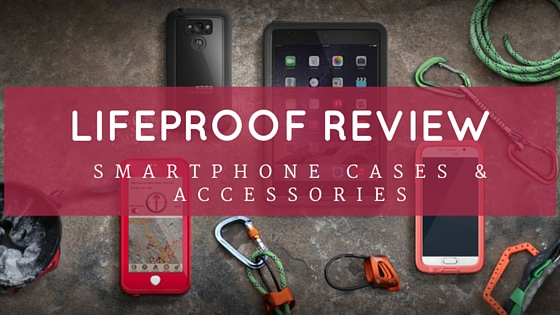
LifeProof Review – Next Generation Smartphone Cases & Accessories


LifeProof Smartphone Cases Series

LifeProof sells the following 3 series of cases compatible with some of the most popular iOS and Android devices available in market. The Smartphone cases offered by LifeProof having different sets of advantages with your devices as explained here:

#1 FRE

The waterproof and drop-proof case comes with a built in scratch protector and is available for most Apple devices including iPhone 6, iPhone 6S and also for Samsung galaxy S6 and Motorola driod turbo smartphones. The FRE cases are available in different colors and prices depending upon smartphone model you choose.

#2 NUUD

The sleeker cover is designed for most of the iOS devices like iPhone 5, 5C, 6, 6S, 6S plus (in development and will be soon available). Nudd smartphone cases are also waterproof and drop proof and adds just a little thickness to the sleek device. It is also available for Samsung Galaxy S4 and will soon be available for other devices. You can have various choices of colors and can purchase as per your requirement.

#3 FRE POWER

Available only for iPhone 6 and 6S, this FRE Power case comes with a battery case to increase the battery life of your phone. It is the most superior among all the LifeProof cases available at slightly higher price as compare to other smartphone cases.
Although all the above LifeProof cases are available for iPhones and iPad, only the FRE cases are available for Samsung S4, S5 and S6 and for Motorola phones including DROID MAXX 2, DROID TURBO and DROID TURBO 2. Although the cases are scratch proof yet they do put on some smear due to their plastic body. There are also several accessories sold by LifeProof that include quick mount accessories, armbands, mounts, life jackets, iPad accessories and belt clips.
As we discussed some of the popular types of LifeProof cases and accessories, lets learn more about the quality, price and warranty of those products.

Quality

The cases are a huge help when you need to carry your phone in extreme weather conditions like mountains, in water, deserts and want to ensure that your phone does not bear the brunt of the harsh weather. They are also known to save your phone from extreme shock as well as save them if they drop down a slope. The FRE, NUUD and FRE POWER cases have different advantages for devices like protection from water, dirt, snow, dropping, scratch protection and screen less technology.
The cases are easy to put on or remove and protect all the sockets of your smartphone. As per LifeProof all the cases are factory water tested along with US Military standard drop and shock. Some LifeProof cases users also tests its strength by running car on it and their device don’t have a single scratch after the test. (As per information provided on LifeProof website).
Checkout below video depict the LifeProof iphone 5 case extreme test in which car run over the iphone 5 protected with case. See what happened next!

Price

Each lifeproof cover, case or accessories has different prices based on type and quality of the product. The range starts with $79.99 for FRE case and goes up to $130 for the FRE Power cases which are best in the market for their waterproof battery case provides longer protection and added battery life. The NUUD case is available at a price of $89.99. The products have also been discounted on some e-commerce websites. Due to their better quality, all the LifeProof cases are known to be value for money products. At the time of writing this post, there is one offer promoted by LifeProof entitled “Save upto 25% + Free Express shipping”. You can get benefit from the offers to save some extra bucks on your cases.

Grammarly Checks Your Spelling for Comments, Facebook, Tumblr and More


While our spellchecks help us out everyday when it comes to typing up documents or whipping out an email, there’s a vast area of un-checked computer space called “the internets.” Grammarly brings spell and grammar checking to the web at last.
Grammarly is a Chrome/Firefox extension that you can download to help you write better throughout the Internet. As long as it’s a text field in a webpage, this plugin will keep watch on your work and alert you to any possible fouls when it comes to spelling or grammar.
The extension works on some familiar lines – literally, in this case. Red lines mean that your spelling is in question, while green lines mean that there may be something wrong with your grammar. Mouse over the lines and information will pop up, showing you the potential mistake and offering replacements based on contextual information around the mess-up.
Grammarly is designed primarily as a social media tool, specifically called out to help people look more professional or sane on LinkedIn, Tumblr, Facebook, and more. We imagine that it’s also pretty helpful when trying to make a point in the comment’s section. There’s also some “vocabulary enhancement” options if you want to trust the extension to make word choice suggestions for you.
The big news here is Grammarly’s availability as an extension. The program has been around for a while, but only lately has it become available for web-based work. However, the extension is only available for Firefox and Chrome. This covers a broad number of social media users, but if you are stuck using another browser (or you’re on a mobile device) then you won’t be able to use it.
There’s even a professional version which is more oriented toward students and journalists, which costs around $12 per month for advanced vocabulary tools and plagiarism checkers.

Easybreath Snorkel Mask Allows YouTo Breathe Underwater As You Do On Land


If you’ve ever been snorkeling then you know how hard it is to master since breathing out of your mouth isn’t a skill we have all mastered. It definitely takes a few tries to get the hang of things. The new Easybreath Snorkel Mask will change that rough start to snorkeling since it’s specially designed to let you breathe normally through your nose. The mask keeps your mouth and nose open, while its double airflow system makes sure that the moist air you’re exhaling in the mask is quickly removed.
The snorkel tube that stays above water to suck in fresh air and released exhaled breath is still a big feature of this mask, but it also has a special valve that seals when the mask is completely submerged so that you don’t gulp down any water. And as an added benefit, the mask won’t fog up while you’re underwater, allowing you a great view of fishes and more. If you’re going on any tropical vacations soon and know you’ll be snorkeling, pick up an Easybreath for $55.

Slippers With Sound Makes Pretending You’re A Giant Robot Fun


Robots are cool and we wouldn’t mind putting on the Giant Robot Slippers from ThinkGeek and stomping around our home pretending we’re made of bionic strength! The bootie-style slippers make your feet look and sound like a robot, allowing you entertain your kids, pets or even humor your significant other or roommate. Thanks to its sound effects (step-reactive vrrrrrr-clank, to be exact), you’re catch everyone’s attention when you enter a room. You can even pretend you’re a gigantic robot smashing down on some poor city.
They’re one-size fits adult slippers, so you can easily loan them out to other silly friends. They measure  8″ wide x 13″ long and even if your have small feet, they’re made to hug your calf, so they’re hang on just fine as you stomp around. And because no one wants you slipping as you stomp around, the booties bottom fabric is coated with no-slip dots. To make the fun noises, you’ll have to insert four AA batteries that aren’t included. Get your robot on for $29.99.

The Ultrasonic Levitation Machine Lets You Levitate Objects Using Soundwaves


You’re be the life of the party once you show off your levitation skills! Okay, maybe you might not have the power to personally levitate anything, but with the Ultrasonic Levitation Machine on hand, you’ll be able to demonstrate how it’s done! And you won’t need a Phd in science to do so thanks to the Kickstarter campaign that uses sound waves to levitate objects. Developed by Richard Haberkern, the Ultrasonic Levitation Machine is the first in his series that will teach you all about the science behind technologies so that you can pretend to be a mad scientist in the comforts of your home.
Fascinated by sound, Haberkern surprised to find out that there were no kits or completed circuit designs available on the internet and came up with his own. The device uses an ultrasonic sound beam that’s aimed at a reflector to levitate an object. The machine can produce an ultrasonic wave of 28,000 cycles per second with a wavelength of 12.14286 millimeters, while using up to 70 watts of power to produce an intense sound wave powerful enough to levitate objects. Because of of this, you’ll have to wear earplugs to limit long-term exposure to the pressure of waves that the machine emits, which can damage your hearing. Haberkern also mentions that this soundwave technology could be the answer to creating a an actual hoverboard! Kickstart your brain power by pledging $119 or more to get your very own Ultrasonic Levitation Machine, which can be used for a variety of things like impressing your friends and even as a science fair project for your kids!

The Ostrich Pillow Mini Lets You Sleep Anywhere


As we get busier and busier as a society, we’re looking for more and more ways to snatch a little precious sleep from the day. That’s a problem because, well, have you ever tried sleeping on your own hands? We didn’t evolve to sleep that way. But the Ostrich Pillow Mini is here to address this particular evolutionary defect.

A Place To Rest Your Head

As you might have guessed, the Ostrich Pillow Mini is a pillow, and based on the rather… memorable Ostrich Pillow, which you might remember as a cross between a neck brace and a muff. It was essentially a contraption you put your whole head in, and had room for your hands to tuck in as well. The Mini is… well, it’s substantially less goofy.

Well-Armed For Sleep

The Ostrich Pillow Mini more resembles an oven mitt than its big brother. Which is a good thing, since walking around with an oven mitt on your arm looks a lot less goofy. You just slip it on your preferred sleeping arm, in a position that makes sense for you. It can go pretty much anywhere on your arm, from your elbow to your hand. Then, rest your head, close your eyes, and get a nap before the next alarm, plane landing, or what have you.

Get Some ZZZs

The Ostrich Pillow Mini is a slightly more dignified way to sleep aroun, er, to sleep wherever, and as a nice touch, you can even make it slightly personal; it comes in four colors. You will have to hand wash it in order to keep it clean, especially for your droolers out there (you know who you are.) Still, for many of us, being able to sleep wherever we go is worth $25, and backing a Kickstarter.

Rocketbook: Cloud-Integrated Reusable Notebook Erases Via Microwave


Get ready to have your mind blown with this creative new invention. Introducing Rocketbook, a cloud-integrated reusable notebook that erases itself when microwaved. Yes, you read that right, and no, this isn’t technology straight out of The Jetsons. The Rocketbook allows users to send written notes to the cloud, has organization options, with no extra hardware needed.
The Rocketbook will come in two different sizes at launch, including a standard 11″ x 8.5″ and a 8.3″ x 5.8″ option (which is called the Executive Edition). The Rocketbook is completely microwave safe, which is how the book gets erased and reused after all of the pages are filled. Users simply throw the non-edible (that’s important) notebook into the microwave for 30 seconds and when it is taken out of the microwave it can be used again. The Rocketbook notebook contains unique pages that allow users to easily organize their notes in the cloud by simply marking one of the seven icons that rest at the bottom of every page. Each icon is assigned to the place of your choice, any folder inside Dropbox, Evernote, Google Docs or your email address. When the user is done writing on a certain page, they simply mark one of the icons on the bottom of the page and Rocketbook will take place the item in the proper folder once the page is scanned using the Rocketbook app.
The Rocketbook app will also have a Photo Mode, which will add the ability to capture and process any hand-drawn images from any surface such as whiteboards, Post-it notes, cocktail napkins and more. The image is filed and added just like any other page in your Rocketbook. The Rocketbook is currently available to early backers on Indiegogo for just $25, which includes one notebook and one FriXion black pen or $35 for a Rocketbook and a three-pack of colored pens. The notebook is expected to be delivered at some point in June 2015.

Holus Tabletop Hologram Turns Digital Content Into 3D Experiences

holus_feature-1342x895
There are already a number of desk knick-knacks touting holographic technology that make it look like simple objects are floating in the air. Holus is not one of these: Holus is a new, holographic way to experience your old, boring 2D content.
Essentially, Holus is little more than a big glass box with a pyramid inside. But it uses this pyramid to recreate digital content using the old “Pepper’s Ghost” technique, making it 3D and projecting it inside the pyramid space. As a result, it looks like the object is really there – and Holus has several ideas about how to use this in the real world.
Since the holographic chamber can accept images from computers, tablets and smartphones, it can transition a whole lot of content into a hologram – for better or worse. The Pro version has the most options, with an HDMI port and SDK tool for developers. This is great for innovators, engineers, and those who like to tinker – as well as being handy for businesses. Imagine mounting your webcam on top and talking with a holographic image instead of a flat screen for your next conference.
Another interesting possibility is use in schools: Holus suggests bring up a strand of DNA or a solar system model from a 2D environment to explain it more completely to students gathered around the hologram.
Holus_header
However, the home edition also has plenty of potential uses. One of the more exciting is a home gaming development, where a digital board game – say, from an iPad app – can be given 3D life on the table while you play. You can also use it to talk with long distance family members. There’s a tablet computer holder at the base of the Holus box that facilitates Facetime or gameplay as well.
The Kickstarter for this handy hologram box has already far surpassed its goals, so let’s talk about price. The early bird prices are already gone, but there are still options left for a “late bird” Holus at $560 for the normal home model, and $660 for the Pro model. Pledging $750 will get you a Leap Motion sensor to make holo-conversations much easier.